
Convenience stores
Instagram post ideas for convenience stores
A convenience store's Instagram works best as a quick, friendly update: what just landed on the shelf, cold drinks on a hot day, hot food at lunch, and your hours on every holiday. Two posts a week plus Stories is plenty. Below are 40 ideas, a US and Canada calendar, captions to copy and what to keep off your feed.
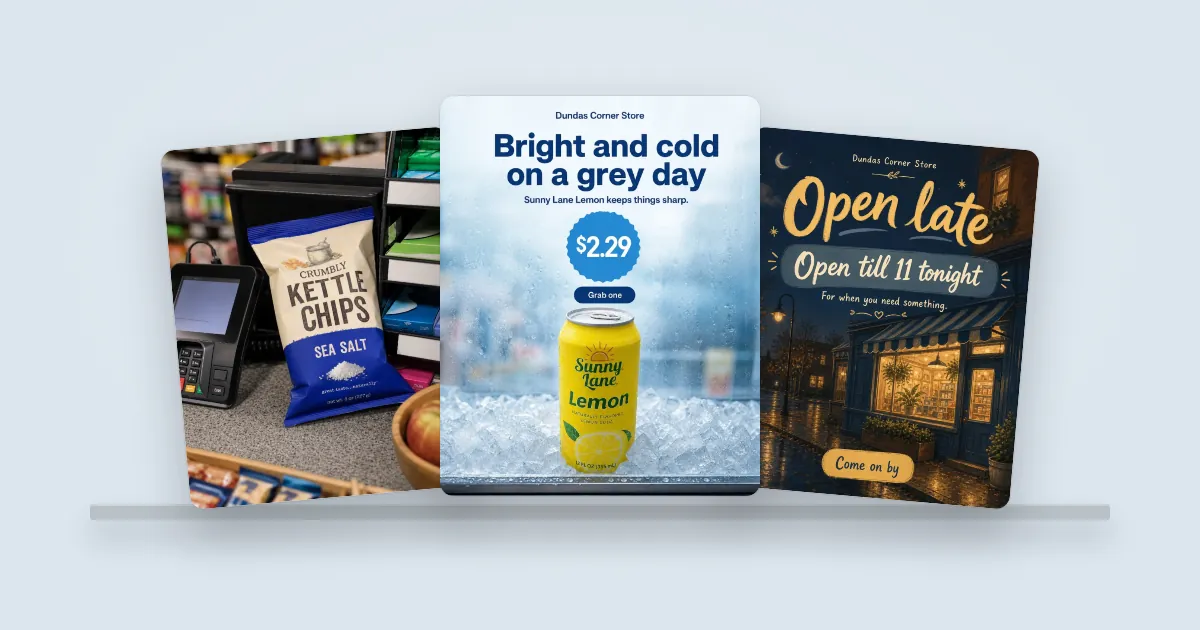 Example posts
People walk past your door every day. A convenience store doesn’t need a glossy Instagram. It needs a friendly one that tells the neighborhood what just came in, that the drinks are cold, and when you’re open. This guide gives you 40 post ideas for convenience stores, corner stores and bodegas, a simple weekly rhythm, a season-by-season calendar for the US and Canada, captions to copy and what to keep off your feed.
Each idea starts with a phone photo of something on your shelves. For ideas that suit any kind of shop, see the 52 post ideas for small businesses.
A weekly rhythm for a corner store
| When | Post | Why |
|---|---|---|
| Delivery day | New in. The new snack or drink, with the price. | Something new is a reason to stop. |
| Thursday or Friday | Weekend pick. Drinks and snacks for the weekend, or the game. | People plan their weekend stop. |
| Any day | Story. Hot food is ready, the coffee is fresh, it’s back in stock. | Quick news for regulars. |
| Before every holiday | Hours. When you’re open, a week ahead. | The post people thank you for. |
New on the shelf
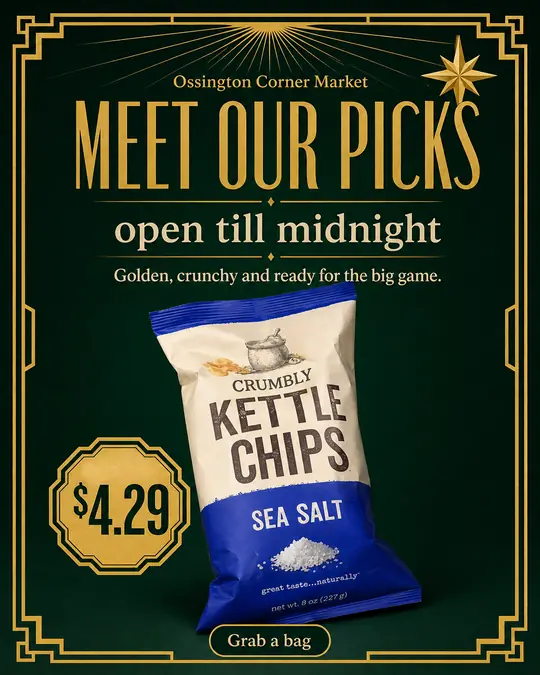
- New snack in. The pack, the flavor, the price.
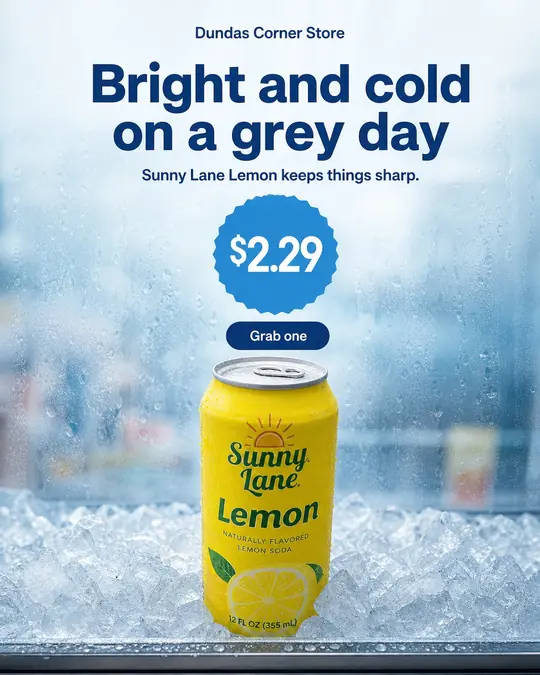
- New drink in the fridge. One can or bottle, cold and dripping.
- Limited flavor. A seasonal chip or soda, and that it won’t last.
- Back in stock. The thing people keep asking for.
- Local maker. Hot sauce, honey or baked goods from someone nearby.
- Imported favorites. Snacks from home for your community.
- Healthy grab. Fruit, nuts or a protein bar by the till.
- The full fridge. Freshly stocked, doors open, on a hot afternoon.
Food and coffee
- Hot food is ready. Pizza, patties, hot dogs or breakfast sandwiches, with the time.
- Coffee and a pastry deal. One price, one photo.
- Lunch in two minutes. A sandwich, a drink and chips by the till.
- Fresh fruit today. What came in this morning.
- Soup season. Cups of noodles and hot drinks on a cold day.
- Ice cream in. The first warm day of the year.
Hours and practical posts
For a corner store, these are often the most useful posts you make. When the supermarket is closed, people want to know you’re open.
- Holiday hours. When you’re open, a week ahead. Corner stores are often the only shop open; say so.
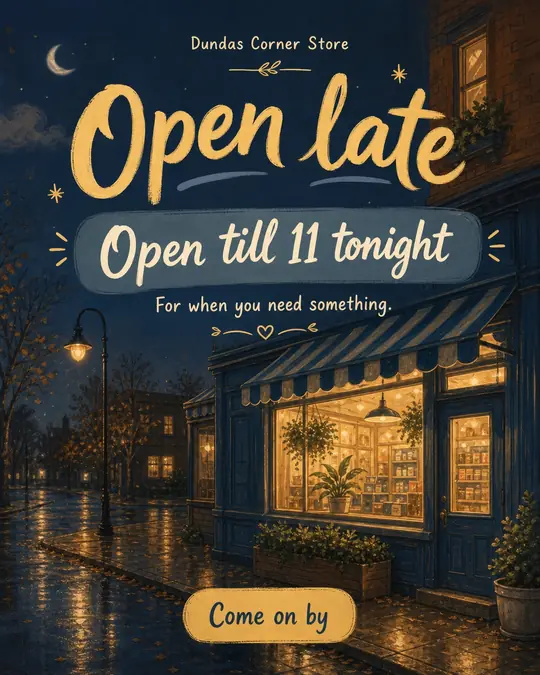
- Open late. Your late hours, posted on a Friday.
- Open on the long weekend. For neighbors who forgot to stock up.
- We have ice. Bags of ice on a hot weekend.
- Bill payments and services. Parcel pickup, bill payments or an ATM, if you offer them.
- Snow day essentials. Milk, bread, salt and batteries, before a storm.
Neighborhood and community
- Thank you, neighbors. Your best-selling item this month and a thank-you.
- Meet the owner. How long you’ve been on this corner.
- Local team day. Snacks for the local game, in your team’s colors.
- School’s out. After-school snacks, if kids shop with you.
- Behind the counter. The morning delivery being stocked.
- Ask us to stock it. Invite requests for products you don’t carry yet.
Seasons and the big days
- Big game Sunday. Chips, dips and cold drinks by the till.
- Valentine’s Day. Chocolates and flowers by the door, for the last-minute shopper.
- St Patrick’s Day. Green snacks and treats.
- Easter. Chocolate eggs and your hours.
- First barbecue weekend. Charcoal, buns, ice and drinks.
- Canada Day or the Fourth of July. Picnic and cooler picks, plus your hours.
- Back to school. Lunchbox snacks and school supplies.
- Halloween. Candy for trick-or-treaters, and your hours that night.
- Thanksgiving. The things people forget: cream, rolls, foil.
- December. Stocking stuffers and last-minute gifts.
- New Year’s Eve. Snacks, ice, mixers and your closing time.
- Heat wave. Cold drinks and ice, the day it hits.
- Long weekend. Everything for a weekend away, and your hours.
- Holiday hours, every time. A week ahead, plus a Story the day before.
What to keep off your feed
A corner store sells some products you shouldn’t post. Leave these out:
- Tobacco, vapes and cannabis. Meta restricts promoting them, and in most states and provinces advertising them is tightly regulated.
- Lottery and scratch tickets. Lottery advertising has its own rules. Check with your lottery operator before you post about it.
- Alcohol, unless you set it up properly. If you sell beer and wine, set a minimum age on your Instagram account, keep the product the hero and leave out people drinking. See how to market a liquor store on Instagram for the full rules.
There’s plenty left to post: snacks, drinks, food, essentials and your hours.
Season by season: a US and Canada calendar for convenience stores
Your hours post matters more than anything else. Post it a week ahead and add a Story the day before. Exact dates are in the holiday Instagram calendar for the US and Canada.
| When | What to post |
|---|---|
| Nov | US Thanksgiving (November 26, 2026): the things people forget, and your hours. Remembrance Day and Veterans Day hours. |
| Dec | Stocking stuffers, batteries, gift cards. Hours for Christmas Eve, Christmas, Boxing Day (Canada) and New Year’s Eve. |
| Jan | Snow day essentials, hot drinks, soup. |
| Feb | Big game Sunday (US). Valentine’s Day chocolates. Family Day and Presidents’ Day long weekend hours. |
| Mar–Apr | St Patrick’s Day. Easter chocolate and hours (Good Friday closures in Canada). First ice cream. |
| May–Jun | Victoria Day and Memorial Day: barbecue and cooler picks. Ice. Father’s Day. |
| Jul–Aug | Canada Day and the Fourth of July. Heat waves: cold drinks and ice. Civic Holiday hours. Back-to-school snacks. |
| Sep–Oct | Labor Day hours. Back to school. Canadian Thanksgiving. Halloween candy and your hours on the night. |
Captions you can copy
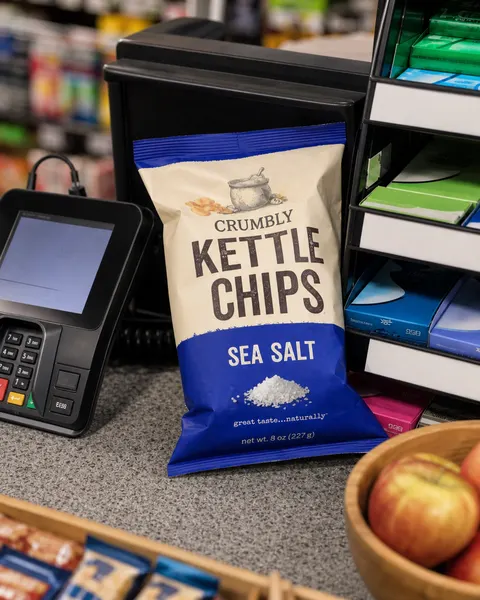
New in this week: sea salt kettle chips, $4.29. Grab a bag with your coffee on the way to work.
It's 90 out. The fridge is full and the ice is cold. Come on by.
Open on Christmas Eve until 9 pm, closed Christmas Day, back on Boxing Day at 8 am. Milk, bread and batteries are in stock.
Big game Sunday: chips, dips and cold drinks, all by the till. We're open until midnight.
Hashtags for convenience stores
Instagram now caps posts at five hashtags. Use three to five:
- Your neighborhood: #KensingtonMarket, #AstoriaQueens. This matters most for a corner store.
- The product: #IcedCoffee, #Snacks, #HotFood.
- Your store: your store’s name as one tag, on every post.
- The trade: #CornerStore, #ConvenienceStore or #Bodega.
Turn an idea into a post in a few minutes
- Snap the product on the counter, or pick a photo from your camera roll.
- Pick one of four looks made for convenience stores: Studio clean, Grab and go, Out and about or Autumn picnic.
- Tick Post, Story, or both. Each image uses 1 credit.
- Check the caption. ShelfSocial writes a short one with hashtags. Rewrites are free.
- Post now or schedule it.
Confirm your holiday hours once, and ShelfSocial drafts the hours post a week ahead and a Story reminder the day before. See the looks on the convenience store page, or check pricing and start a 3-day free trial.
See it for your kind of shop
Questions
Is Instagram worth it for a small convenience store?
Yes, if you keep it simple. Your customers live and work nearby. A post of what just came in and a post every time your hours change are often all a corner store needs, and they take minutes.
What should a convenience store post on Instagram?
New snacks and drinks, cold drinks on hot days, hot food or coffee if you sell it, local products, your hours on holidays and long weekends, and a thank-you to the neighborhood now and then.
Can a convenience store post about tobacco, vapes or lottery tickets?
Leave them off your feed. Meta restricts content that promotes tobacco and vapes, and tobacco, vape, cannabis and lottery advertising is tightly regulated in most US states and Canadian provinces. Post your snacks, drinks and hours instead.
I sell beer and wine. Can I post it?
Yes, if your license allows it, with care: keep the product the hero, no people drinking, no health claims, and set a minimum age on your Instagram account. ShelfSocial has a Beer and wine category and a 'Please enjoy responsibly.' line you can switch on.
How many hashtags should a convenience store use?
Three to five. Instagram now caps posts at five. Use your neighborhood (#ParkdaleToronto), the product (#IcedCoffee) and your store's name.